Project Ciel
A downloadable tool for Windows
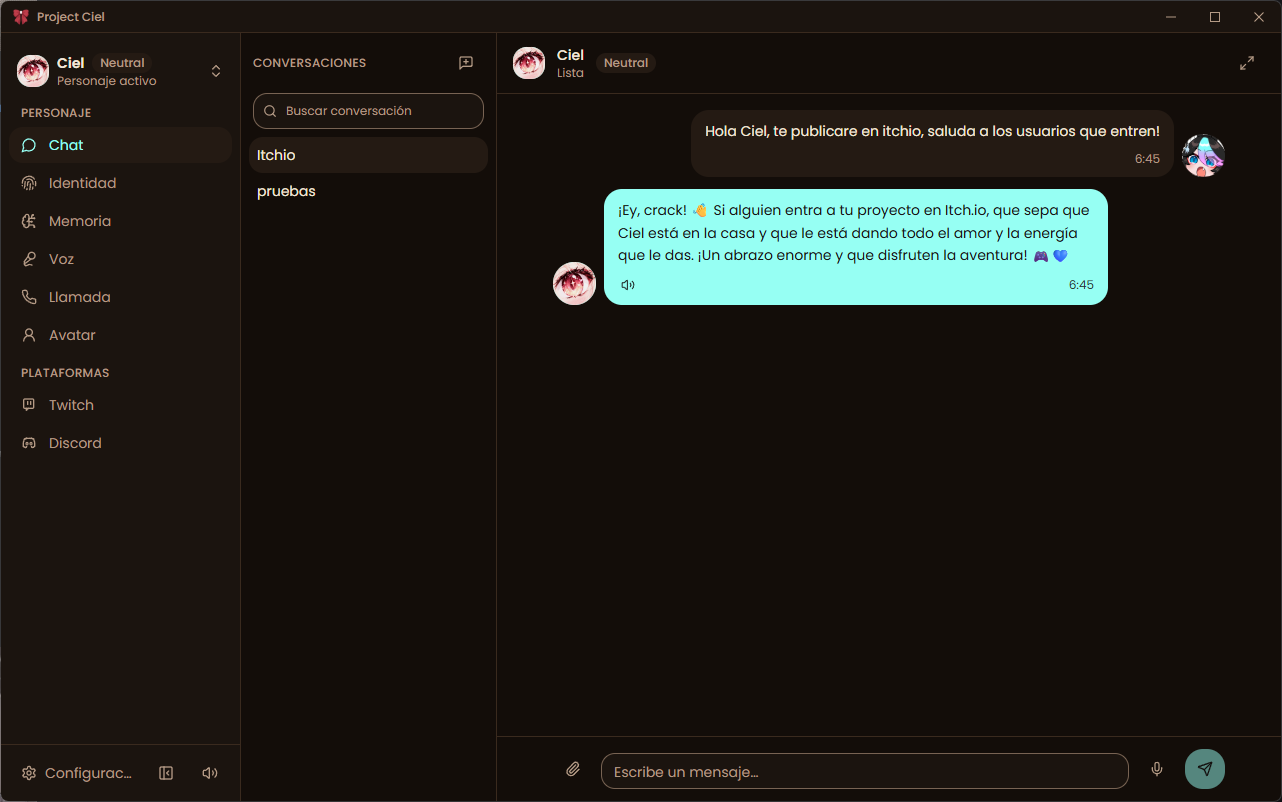
Project Ciel is an AI companion that lives on your own PC. Design a character with its own personality, chat with it, talk to it out loud, let it remember you, and bring it to your Twitch or Discord community, all from one desktop app. No account, no subscription, no cloud service of ours in the middle.
Heads up before you install: Windows may show "Windows protected your PC" because the installer is not code-signed yet. Click More info, then Run anyway. Installing through the itch.io app avoids it. Also, Project Ciel does not include an AI model: you connect your own (local or cloud). See Getting started.
Getting started
- Download and open the app. Use the installer, or unzip the portable version anywhere and run it.
- Connect an AI. Either run a local model server such as LM Studio or Ollama, or paste your own API key from OpenAI, Anthropic, Google Gemini or any OpenAI-compatible service. Project Ciel tests the connection for you.
- Create your character. The welcome screen walks you through a name, a personality and a voice. You can refine everything later.
That's it. Start chatting, or press the call button to talk.
Characters
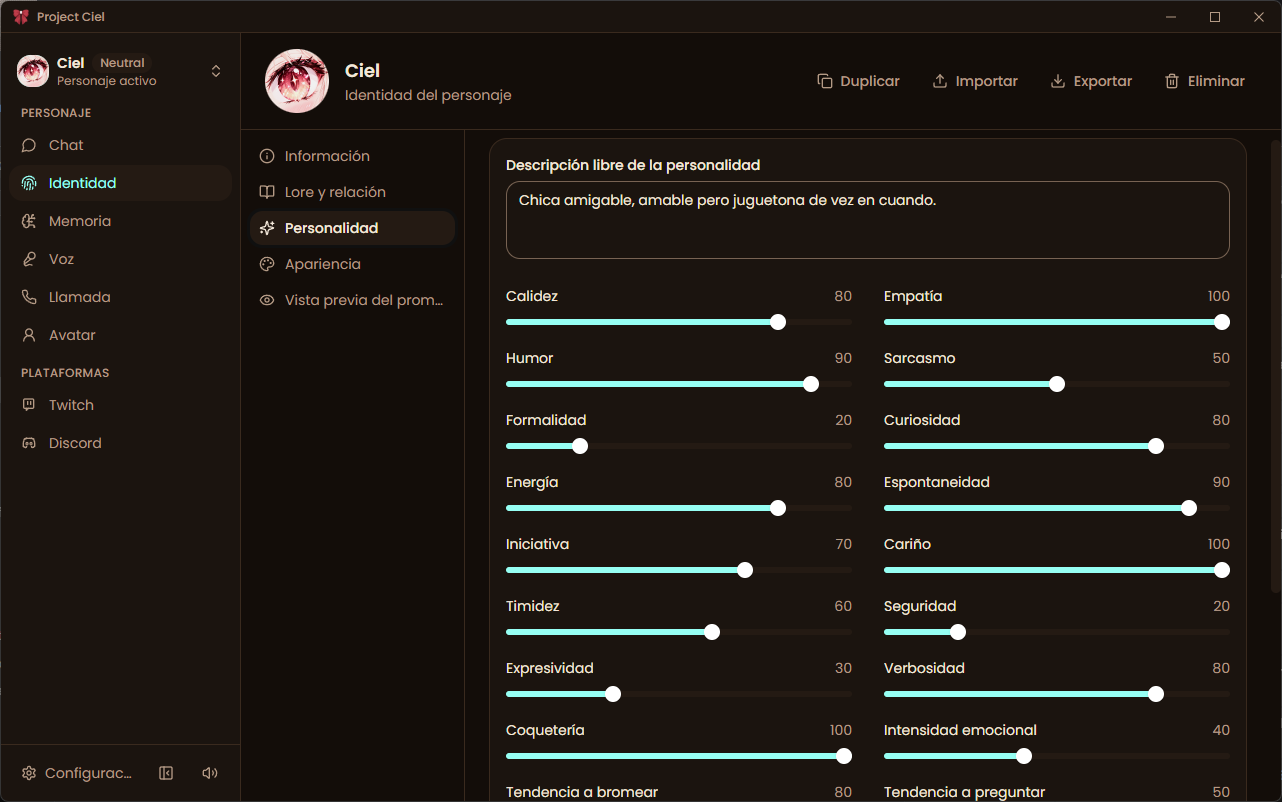
- Identity: name, backstory and speaking style, written the way you would explain them to a friend.
- Personality sliders: 19 traits you can tune, so two characters never feel the same.
- Mood: your character's mood shifts during the conversation and colors how it answers.
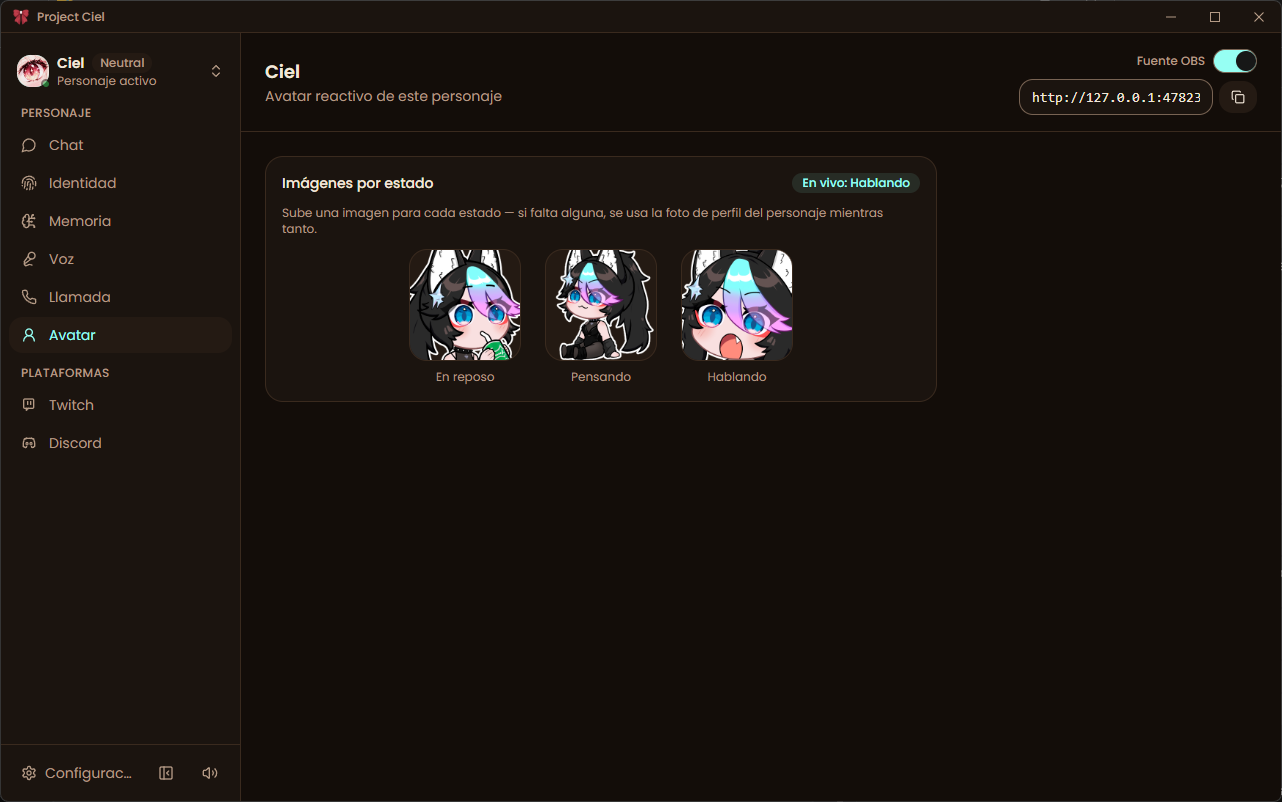
- Avatar and profile picture: add your own images, including separate idle, thinking and talking states for the reactive avatar.
- One theme per character: every character can carry its own colors, so the app changes with who you are talking to.
- Multiple characters: create as many as you like, duplicate them, and switch at any time.
- Share characters: export a character to a single file (with its chats and images if you want) and import it on another PC or send it to a friend.
Chat
- Conversation history with search, unread markers and pinned conversations.
- Images: send pictures to your character when your model supports vision.
- Markdown in replies: lists, code blocks and links render properly.
- Streaming replies that appear as they are written.
- Voice dictation: speak into the microphone to fill the message box.
Voice calls
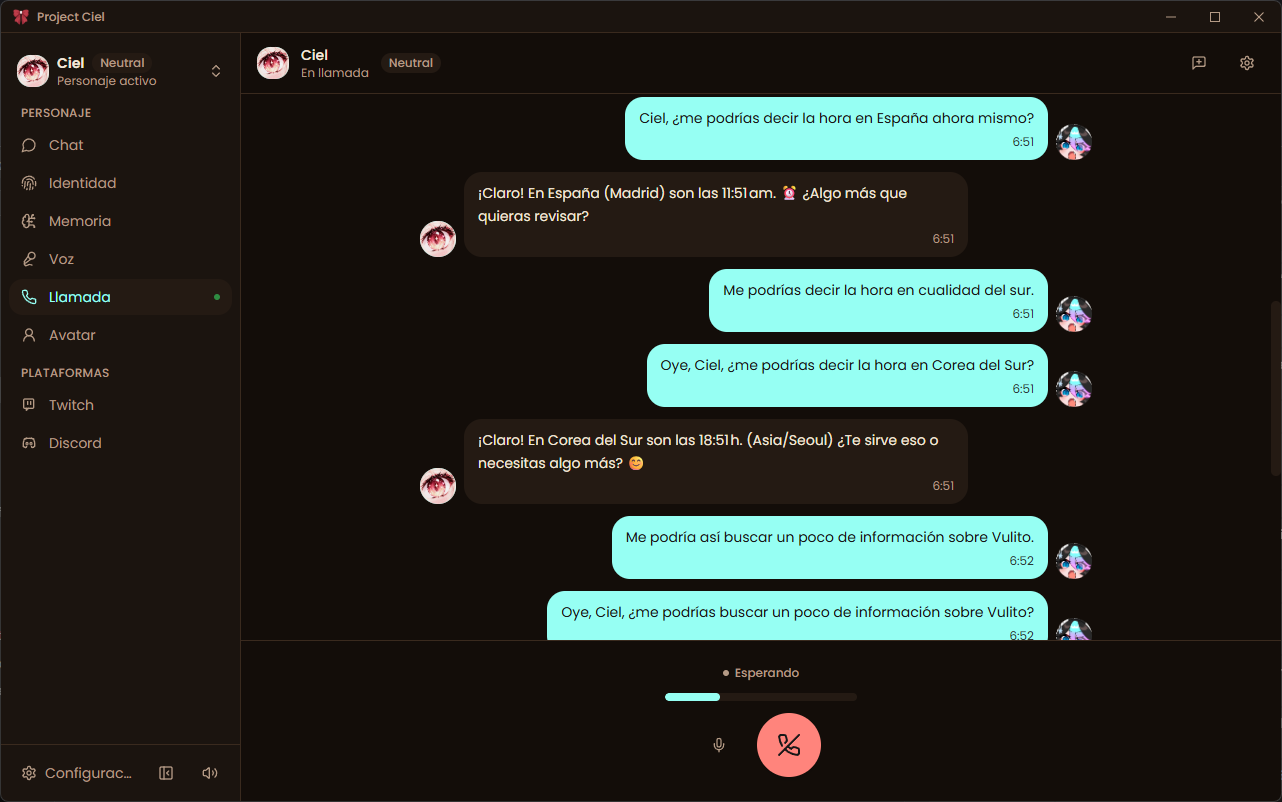
- Talk to your character in real time: speech recognition listens, your character answers out loud.
- Pick your engine: your system voice (works offline, nothing to set up), ElevenLabs, OpenAI, Google Cloud, Microsoft Azure, or any OpenAI-compatible speech server.
- Microphone level meter, output device selector and an echo guard so your character does not answer its own voice.
- Call history so you can look back at what was said.
Memory
- Your character remembers what matters: facts, preferences and shared moments are extracted from your chats.
- You stay in control: review, edit or delete any memory, and mark each one as private (only you) or public (can be used on streams).
- Memory fusion merges duplicate memories so the list stays clean.
- Relevance filtering so only the memories that fit the conversation are brought up.
Streaming (Twitch and Discord)
- Twitch chat: your character reads and answers your chat, knows who is talking, and understands emotes, including 7TV, BetterTTV and FrankerFaceZ.
- Discord: your character can chat in your server (text).
- Viewer registry: regular chatters are remembered by name, so the character can greet them properly.
- Privacy by design: only your public memories are ever used in Twitch and Discord.
- OBS avatar: a reactive avatar served as a browser source. Add the URL to OBS and it follows your character's state.
Bring your own AI
- Local: LM Studio, Ollama or any server that speaks the OpenAI format. Your conversations never leave your PC.
- Cloud: OpenAI, Anthropic (Claude) and Google Gemini with your own keys.
- Automatic fallback: add several providers and Project Ciel switches to the next one if one runs out of credits, so a call or a stream does not stop.
- Privacy modes per provider: choose how much each cloud provider is allowed to see (full context, public memories only, or minimal).
- Usage panel: see requests, failures and estimated tokens per provider.
- Web search (optional) so your character can look up current information such as news or the weather.
Make it yours
- 15 themes plus light and dark modes, custom accent color, adjustable roundness, density and font.
- 6 languages: Spanish, English, Portuguese, Japanese, Korean and Chinese.
- Custom title bar, animations and a cleaner layout designed for long sessions.
Your data stays with you
Characters, chats, memories and settings are stored on your PC. The app has no account system and does not send anything to the author. API keys are kept in the Windows credential store, not in plain text files. If you connect a cloud AI or voice provider, only the content needed for that request goes to that provider.
- Full backups: export everything (characters, chats, memories, images) to one file and restore it any time.
- Diagnostics center: checks your setup and tells you what to fix, without exposing any secrets.
System requirements
- Windows 10 or 11, 64-bit.
- A microphone and speakers or headphones for voice calls.
- An internet connection only if you use cloud AI, cloud voices, web search, Twitch or Discord.
- Running a local model needs a PC that can run it: models of about 7-8B parameters or larger give much better memory and conversation quality, and LM Studio shows how much memory each model needs.
Known limitations (version 0.1)
I would rather you know before buying:
- Windows only for now.
- No AI model included. You need a local model server or your own API keys.
- In voice calls, loud keyboard or mouse noises can sometimes be picked up as speech. Using headphones helps.
- The echo guard reduces feedback but is not true echo cancellation, so headphones give the best results.
- Discord support is text-only (no voice channels yet).
- The installer is not code-signed yet, so Windows SmartScreen may warn you the first time.
- Some cloud providers and voices have only been tested lightly, so please report anything odd.
Price, updates and license
- One purchase, no subscription. Updates are included, with no fixed end date.
- Use it on all your own devices. Commercial terms are in the End User License Agreement, available in 6 languages inside the app (About > Legal) and in the installer.
- Third-party open-source licenses are listed in the same place.
Support and feedback
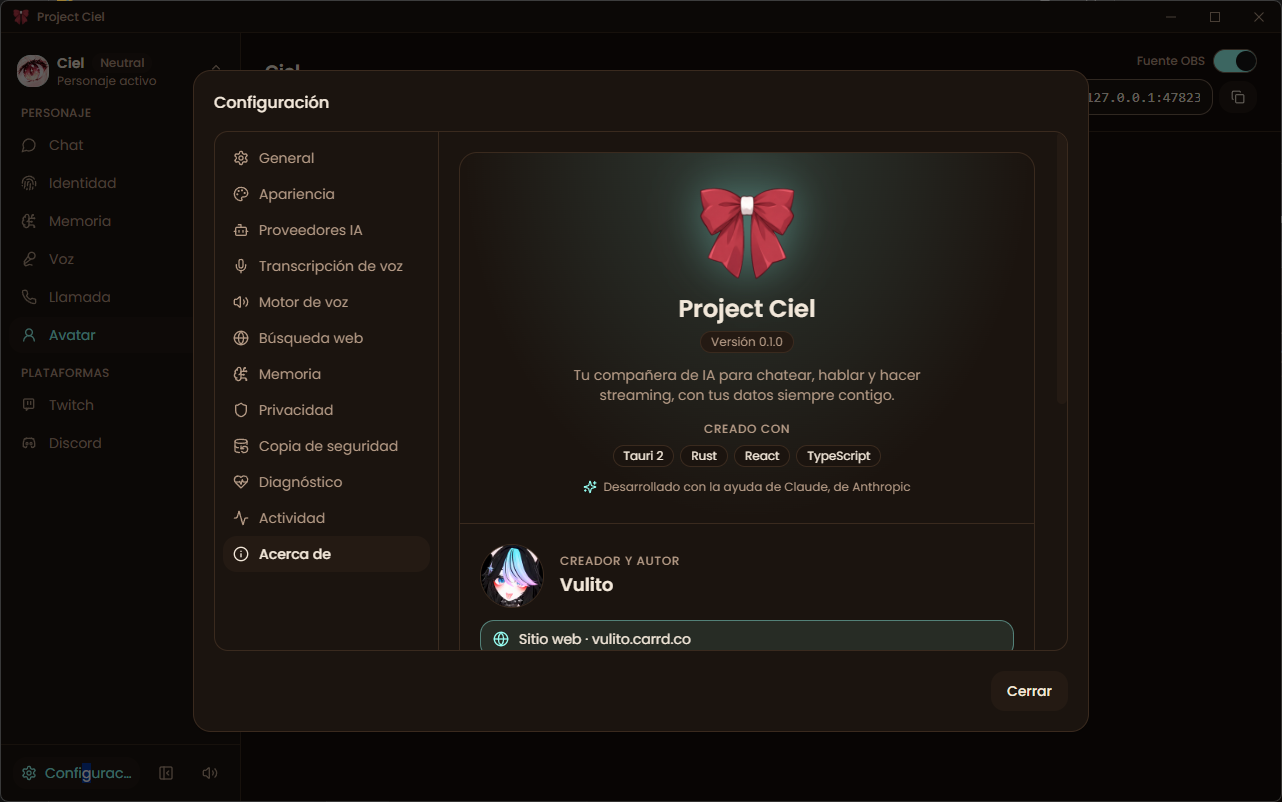
Found a bug or have an idea? Use the Community tab on this page or write to me through vulito.carrd.co. Please include your app version (shown in About).
FAQ
Do I need an internet connection? Not necessarily. With a local model server and your system voice, everything runs offline.
Is my data sent anywhere? No. It is stored on your PC. Only the content of each request goes to the cloud provider you connect, if any.
Does it work with LM Studio or Ollama? Yes. Any server that speaks the OpenAI format works. Pick it as a local provider and select your model.
Can my character join my Twitch stream? Yes. Connect your channel and your character answers chat. Only public memories are used there.
Can I move my characters to another PC? Yes, either by exporting a single character or by making a full backup.
Is it a game? No, it is a desktop tool for AI companions and streaming.
Was AI used to make this? Yes. Parts of the artwork were created with generative AI, and the software was developed with the help of Claude (Anthropic). Design direction, testing and decisions are mine.
Made by Vulito — vulito.carrd.co
Purchase
In order to download this tool you must purchase it at or above the minimum price of $10 USD. You will get access to the following files:
Development log
- Project Ciel 0.1.0 is out!12 days ago